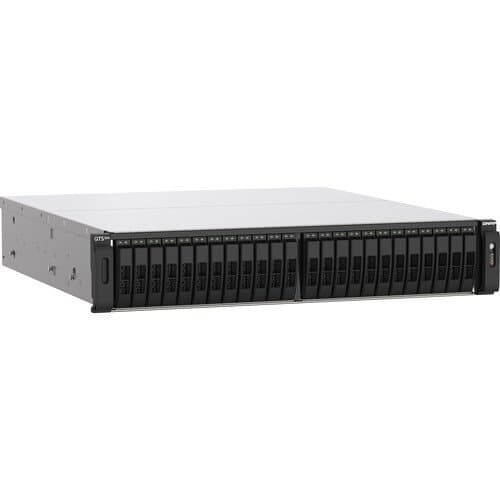
QNAP TS-h2490FU 24-Bay NAS Enclosure (AMD EPYC 7302P)
Model: TS-H2490FU-7302P-256G-US
Model: TS-H2490FU-7302P-256G-US
from $18,999
Memory: 256GB
3 configurations available
The NVMe all-flash TS-h2490FU 24-Bay NAS Enclosure from QNAP is designed for providing extreme performance with high cost-efficiency. Armed with a 3.0 GHz AMD EPYC 7302P 16-Core processor, 256GB of DDR4 ECC RAM, and featuring 24 U.2 NVMe Gen 3 x4 SSD bays, the TS-h2490FU delivers up to 661K / 245K random read/write IOPS with ultra-low latency. The ZFS-based QuTS hero operating system supports inline data deduplication and compression for reducing I/O and SSD storage consumption, which significantly extends SSD lifespan with a higher price-performance ratio for all-flash storage arrays. Coupled with near-unlimited snapshots, real-time SnapSync, and petabyte-scale storage expansion capabilities, the TS-h2490FU is ideal for I/O-intensive and latency-sensitive applications, and eliminates productivity bottlenecks in modern data centers, virtualization, and mission-critical backup/restore tasks.
Buy based on the software ecosystem (e.g. Available from $18,999.
NAS (Network Attached Storage) devices run 24/7, making power consumption a steady, though low, cost. The real ongoing expense is replacing hard drives as they fail or filling empty bays to expand storage.
Common Failure Modes
Hard drive failure is the most common issue, which is why NAS uses RAID redundancy to prevent data loss. Fan failures and power brick deaths are the primary hardware issues for the enclosure itself.
Buy based on the software ecosystem (e.g., Synology DSM) and the number of drive bays you need for redundancy and future expansion. CPU power matters greatly if you plan to run media servers like Plex.
The NAS enclosure itself can last a decade. However, the hard drives inside are consumable and typically need replacing every few years depending on workload.
The QNAP TS-h2490FU 24-Bay NAS Enclosure (AMD EPYC 7302P) is available at bhphoto, cdw, starting at $18,999.
NAS (Network Attached Storage) devices run 24/7, making power consumption a steady, though low, cost. The real ongoing expense is replacing hard drives as they fail or filling empty bays to expand storage.
See all NAS Devices
Compare the full selection with specs and pricing.
Links may earn Covala Shopping a commission at no extra cost to you. Prices last verified at time of page load. As an Amazon Associate, Covala Shopping earns from qualifying purchases.
